Introduction
Healthcare teams need records that are easy to use during busy clinical hours, reliable across departments, and structured enough to support continuity of care. EMR software in New-zealand can help clinics and hospitals move from fragmented notes and disconnected files to a more consistent digital workflow for registration, consultation, charting, follow-up, and reporting. For organisations that want a practical system rather than a generic database, the focus should be on day-to-day usability: fast patient lookup, structured clinical documentation, role-based access, and records that remain useful over time.
This EMR platform is designed for hospital and clinic operations with structured patient records, OPD and IPD workflows, implementation playbooks, and documentation practices aligned with policy-aware healthcare operations. It supports teams that want to standardise records without forcing every specialty into the same rigid template. In New-zealand, where digital health direction increasingly values shared records, digital identity, and standards-driven data services, a well-planned EMR can support workflows aligned with those expectations while remaining practical for front-desk staff, clinicians, and administrators.
The result is a system that helps teams document care more consistently, reduce avoidable duplication, and create a clearer operational view of patient journeys from first visit to follow-up.
Department workflow
Although this page is not limited to one specialty, the workflow needs of most outpatient clinics and hospitals follow a similar pattern. A patient is registered, demographic and visit details are captured, the clinician reviews history, documents the encounter, orders or records relevant actions, and the team closes the visit with instructions, discharge notes, or follow-up planning. In inpatient settings, the same record must also support admission details, progress notes, medication tracking, care coordination, and discharge summaries.
EMR software in New-zealand should therefore support both front-office and clinical users. Reception teams need quick registration and appointment-linked intake. Doctors need structured charting, diagnosis and treatment documentation, and access to prior encounters. Nursing and support staff need clear visibility into care plans and updates. Administrators need reporting that reflects actual workflow activity rather than manual spreadsheet reconstruction.
A useful EMR does not just store information. It helps each role complete the next task with less friction. That is especially important in mixed settings where a clinic may run OPD consultations, procedure visits, and short-stay or inpatient workflows under one operational umbrella.
Features mapped to workflow
The strongest product value comes from matching features to real clinical steps. Structured patient records create a single place to review demographics, visit history, notes, and care plans. OPD management supports appointment-linked consultations and encounter documentation. IPD-oriented workflows help teams maintain continuity across admission, progress tracking, and discharge. AI-assisted notes can help clinicians draft or organise documentation faster, while multilingual documentation supports teams serving diverse patient populations or clinicians who prefer structured templates in different languages.
Role-based access matters because not every user should see or edit every part of the record in the same way. Front-desk teams may need registration access, clinicians need charting access, and administrators may need reporting visibility. Policy-aware record controls can support workflows aligned with internal governance and documentation standards without making unrealistic compliance claims.
Implementation playbooks are equally important. Software adoption often fails not because the product lacks features, but because teams are not guided through template setup, user roles, training, and review cycles. A practical EMR approach combines product capability with a phased rollout so that registration, consultation, charting, discharge, and reporting all improve together.
How It Works
The rollout for EMR software in New-zealand should be phased so teams can standardise records without disrupting care delivery. A practical implementation usually follows these steps:
- Set up intake and registration workflows: Configure patient registration fields, visit types, provider schedules, and front-desk intake steps. This creates a consistent starting point for OPD visits and admissions, reduces duplicate demographic entry, and ensures each encounter begins with structured patient identification and visit context.
- Build documentation templates for consultations and charting: Create specialty-appropriate templates for history, examination, assessment, treatment plans, progress notes, discharge summaries, and follow-up instructions. AI-assisted notes can support faster drafting, while multilingual documentation options help teams maintain clarity in routine charting.
- Assign roles and train teams by workflow: Map permissions for reception, clinicians, nursing staff, and administrators. Role-based access helps limit editing and viewing based on operational need. Training is then delivered around actual tasks such as registration, consultation entry, progress updates, and discharge completion rather than generic software menus.
- Go live in phases across OPD and IPD operations: Start with a controlled launch for selected providers or units, then expand to broader clinic or hospital use. During this phase, teams use structured records for consultations, ongoing charting, discharge documentation, and follow-up planning while implementation leads monitor bottlenecks and adoption gaps.
- Review records, audit usage, and optimise reporting: After launch, review note quality, template usage, turnaround times, and reporting outputs. This helps refine forms, improve documentation consistency, and support workflows aligned with internal policy expectations and broader digital health direction.
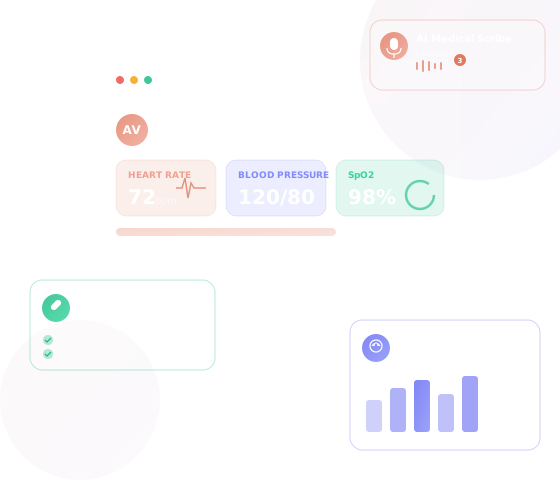
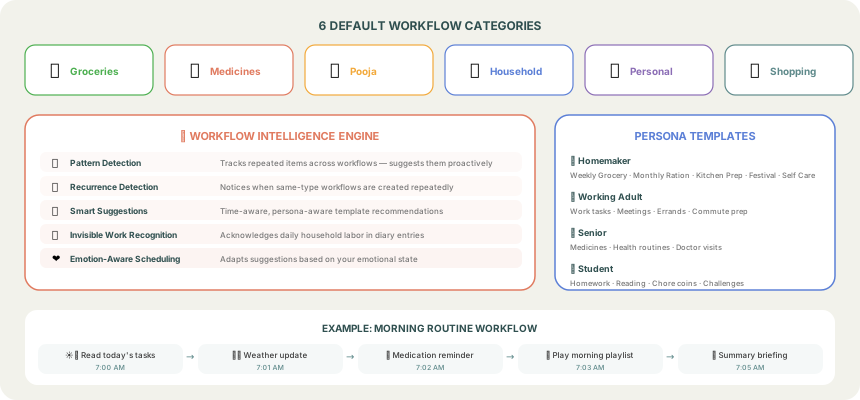
This product approach is specific to EMR operations: it starts with intake setup, moves into documentation templates, supports team adoption with role-based controls, and then uses audit and optimisation to improve registration, consultation, charting, discharge, follow-up, and reporting over time.
Local context
For providers evaluating EMR software in New-zealand, local context matters less as a marketing label and more as a workflow consideration. Organisations may need systems that support shared-record thinking, careful identity handling, and standards-oriented documentation practices. Health NZ digital health direction has highlighted shared digital records, digital identity, and standards-driven health data services, which makes structured and interoperable documentation a sensible operational goal for clinics and hospitals planning long-term digital maturity.
That does not mean every organisation needs a complex transformation on day one. Many providers begin by improving core record quality, reducing paper dependence, and creating a more reliable consultation-to-follow-up workflow. From there, they can strengthen reporting, internal governance, and data consistency. This is where EMR software New-zealand healthcare buyers often benefit from a product that balances reusable core workflows with configurable templates and implementation guidance.
Use cases
Common use cases include multi-doctor outpatient clinics that need faster registration and standardised consultation notes; hospitals that want clearer OPD and IPD documentation under one system; specialist centres that require structured templates for repeat visits; and growing provider groups that need more consistent reporting across locations or teams. Another common use case is replacing mixed paper-and-spreadsheet processes with a single record that supports patient history review, current encounter documentation, and follow-up planning.
EMR software in New-zealand is also relevant for organisations that want to improve internal handoffs. When records are structured and accessible by role, clinicians can review prior notes more easily, support staff can act on documented plans, and administrators can monitor workflow activity with less manual reconciliation. The value is not only digital storage; it is better operational continuity.
FAQ
Can this EMR support both clinic and hospital workflows?
Yes. The platform is designed for OPD and IPD operations, including registration, consultation documentation, progress notes, discharge summaries, and follow-up workflows.
Does the system support structured clinical documentation?
Yes. It focuses on structured patient records and configurable templates so teams can standardise charting while adapting forms to their operational needs.
How does implementation usually begin?
Most organisations start with intake setup, patient registration fields, user roles, and consultation templates. After that, teams are trained by workflow and the rollout expands in phases.
Is access controlled by user role?
Yes. Role-based access helps organisations define who can view or edit different parts of the record, supporting workflows aligned with internal governance and documentation policies.
Can the EMR align with digital health direction in New-zealand?
The system is designed to support structured records, policy-aware controls, and workflows aligned with standards-oriented digital health operations. It should still be reviewed against each organisation's own requirements and processes.
CTA
If your clinic or hospital is reviewing EMR software in New-zealand, the best next step is to assess how the platform fits your real workflow: registration, consultation, charting, discharge, follow-up, and reporting. A practical evaluation should look at structured records, template flexibility, role-based access, implementation support, and how easily teams can adopt the system in phases. Use that lens to choose an EMR that supports everyday care delivery, not just software procurement.